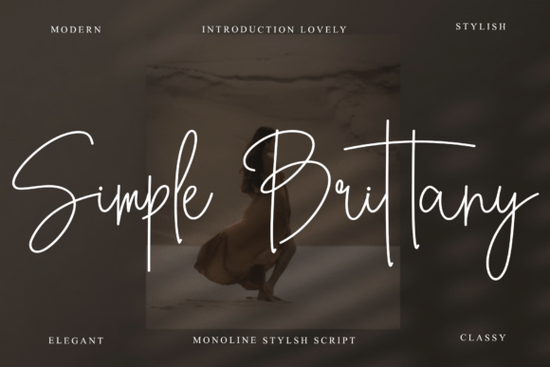
If you are looking for a typeface that feels like a handwritten note from a close friend, the Simple Brittany Font is a wonderful choice. This casual script brings a warm, approachable vibe to your projects without feeling overly formal. Its round, playful strokes make it highly readable while keeping that charming, hand-drawn aesthetic intact.
What makes this typeface stand out for everyday projects?
When you are designing something personal, you want the typography to match the mood. This specific script strikes a great balance between neat and relaxed. Unlike rigid, highly structured scripts, it has a bouncy rhythm that feels very organic. It is an excellent pick for rustic wedding invitations, boho-style greeting cards, or casual social media posts where you want to connect with your audience on a friendly level.
If you appreciate this kind of relaxed, everyday lettering, you might also enjoy browsing other options like the Perfect Relationship typeface, which offers a similarly friendly and informal vibe for your personal crafts.
Will it work with the software I already use?
One of the biggest frustrations for crafters and small business owners is downloading a beautiful script only to find out the special characters are hard to access. You will be glad to know this design comes equipped with standard PUA encoded glyphs. This means all the ligatures, swashes, and alternate characters are easily accessible without needing to copy and paste from a character map.
It works seamlessly across all major design platforms. Whether you are building a layout in Adobe Photoshop, creating vector art in Illustrator, designing in Corel, or putting together a quick post in Canva, the font behaves exactly as it should. For crafters who primarily use cutting machines, having PUA encoding saves a lot of time compared to manually inserting special characters. If you are exploring more Canva-friendly options, the Cursive Amber style is another great everyday choice for quick digital layouts.
How can small businesses and crafters use it effectively?
Knowing where to place a casual script is just as important as the design itself. Here are a few practical ways to apply it to your creative business:
- Event Invitations: The relaxed feel is perfect for baby showers, birthday parties, and informal weddings. Just remember to keep the guest list details in a clean, readable sans-serif.
- Social Media Graphics: Use it for inspirational quotes or sale announcements to keep your brand tone friendly and approachable.
- Print-on-Demand Apparel: It looks fantastic on t-shirts, mugs, and tote bags, especially when paired with simple illustrations or minimal line art.
When pairing it with a secondary text font, you want something that doesn't compete for attention. If you need a modern, clean pairing for your body text, the Megalyn typeface offers a nice, crisp contrast to the bouncy loops of your main script.
What should I check before finalizing my design?
Before you send a file to the printer or upload it to your shop, take a moment to review the details. Always check the kerning, especially around capital letters, to ensure the spacing looks natural. If you are still browsing for the right fit or need to verify the commercial licensing terms for your specific business needs, taking a look at the Simple Brittany product page will give you all the specific details you need.
Also, if you are mixing it with another script for a layered effect, make sure the x-heights are somewhat similar so the text doesn't look disjointed. For a bolder accent, you could even look into the Blesh Forte design, though it is usually best to stick to one main script per design to avoid visual clutter.
Quick Checklist for Using Casual Scripts
Keep this short list handy the next time you start a new project with a hand-drawn typeface:
- Test readability: Always zoom out to 50% to ensure the loops and tails are legible at smaller sizes.
- Pair wisely: Keep your secondary font simple and clean to let the script shine.
- Check ligatures: Turn on OpenType features in your software to see the connected letterforms.
- Verify the license: Make sure you have the correct commercial rights if you are selling physical or digital products.
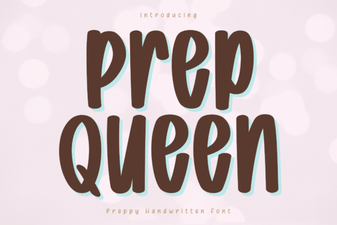 Prep Queen Font: Craft Your Best Projects
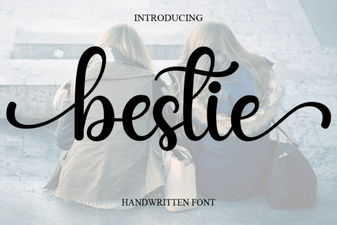 Bestie Font: Ideas for Creative Design Projects
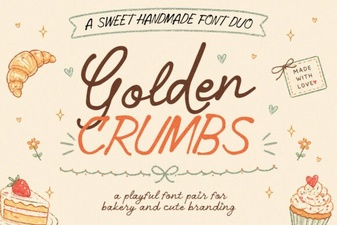 Golden Crumbs Font for Creative Design Projects
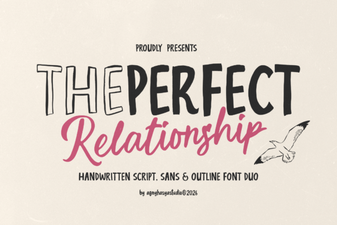 Crafting with the Perfect Relationship Font
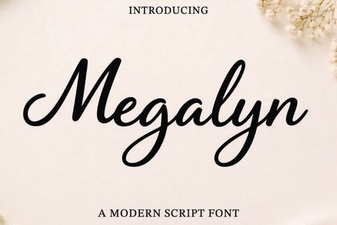 Megalyn Font Projects & Design Inspiration
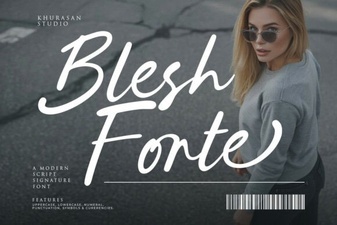 Blesh Forte: Creative Font Design & Usage