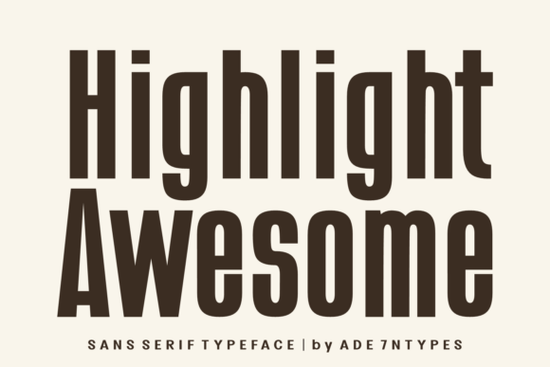
When you need a typeface that balances sleek modern aesthetics with strong readability, Highlight Awesome Font is a reliable choice for your projects. This tall, minimalist sans-serif brings a condensed, bold look to everything from apparel branding to editorial layouts. If you are designing for print-on-demand or crafting with cutting machines, finding the right narrow typeface can make or break your layout. Let's look at how this specific typeface handles tight spaces, all-caps formatting, and physical product applications.
How does it perform on physical products and crafting materials?
Crafters and print-on-demand sellers often struggle with typefaces that look too thin on physical items or lose their shape when scaled down. The strongly condensed strokes of this design deliver a solid visual impact on materials like cotton tees, ceramic mugs, and canvas posters. Because the files are PUA encoded, they work smoothly with software like Cricut Design Space, Silhouette Studio, and sublimation workflows. You won't have to deal with missing glyphs, weird spacing, or formatting errors when transferring your vector files to your cutting machine. This reliability saves you from wasting vinyl and ink on test runs.
Why is it a good fit for small business packaging?
Small businesses need packaging that looks professional without taking up too much horizontal space on the label. The narrow characters allow you to fit longer brand names, ingredient lists, or taglines onto smaller boxes, jars, and hang tags. It brings a sophisticated, fashion-forward feel to cosmetic labels, boutique clothing tags, and artisanal food packaging. When you pair it with a simpler, more rounded secondary typeface, like the Dilabo typeface, you create a clean visual hierarchy. This contrast guides the customer's eye directly to your most important product details without making the label look cluttered.
Can it handle all-caps layouts and large editorial designs?
Yes, this typeface was specifically structured for all-caps layouts. The uniform height and clean lines prevent the text from looking messy when every single letter is capitalized. This makes it highly effective for digital and print contexts that require immediate attention. It works exceptionally well for:
- Magazine headers and feature article titles
- Film, documentary, and video title cards
- Website hero banners and promotional headers
- Social media quote graphics and digital merchandise
The minimalist approach ensures the text remains highly legible even when used in large, impactful sizes across a wide banner or a massive poster.
Where can I explore more options in this style?
If you are building a versatile font library for your design business or side hustle, having a few reliable condensed options is essential. You can explore the full Highlight Awesome collection to see all the included glyphs, numbers, and punctuation marks. Keeping a dedicated folder of narrow sans-serifs on your computer will save you time when you need to fit a long headline into a tight space. It is always helpful to have a go-to condensed option ready for when your client asks for a taller and bolder look.
Quick checklist before using this typeface in your next project
- Check the physical scale: Ensure the narrow strokes remain legible at your intended print size, especially for small labels.
- Commit to all-caps: Take full advantage of the uppercase design for maximum visual impact on headers.
- Test on your actual material: Print a small test patch on your specific POD product or crafting material before doing a full production run.
- Pair wisely for readability: Combine it with a wider, more rounded font for your body text to create a pleasing contrast.
Take a few minutes to type out your longest headline in this typeface to see how the condensed strokes handle your specific wording before finalizing your layout.
Try It Free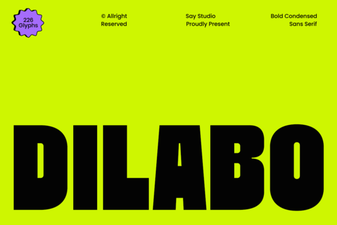 Dilabo Font: Elegant Design for Modern Projects
 Creative Projects with Little Pickie Font Design
 Creative Font Ideas for Your Summer School Project
 Western-Themed Designs with Wildwest Block Font
 Prep Queen Font: Craft Your Best Projects
 Creative Cowboy Saloon Font Ideas & Projects